Progress photos & daily logs
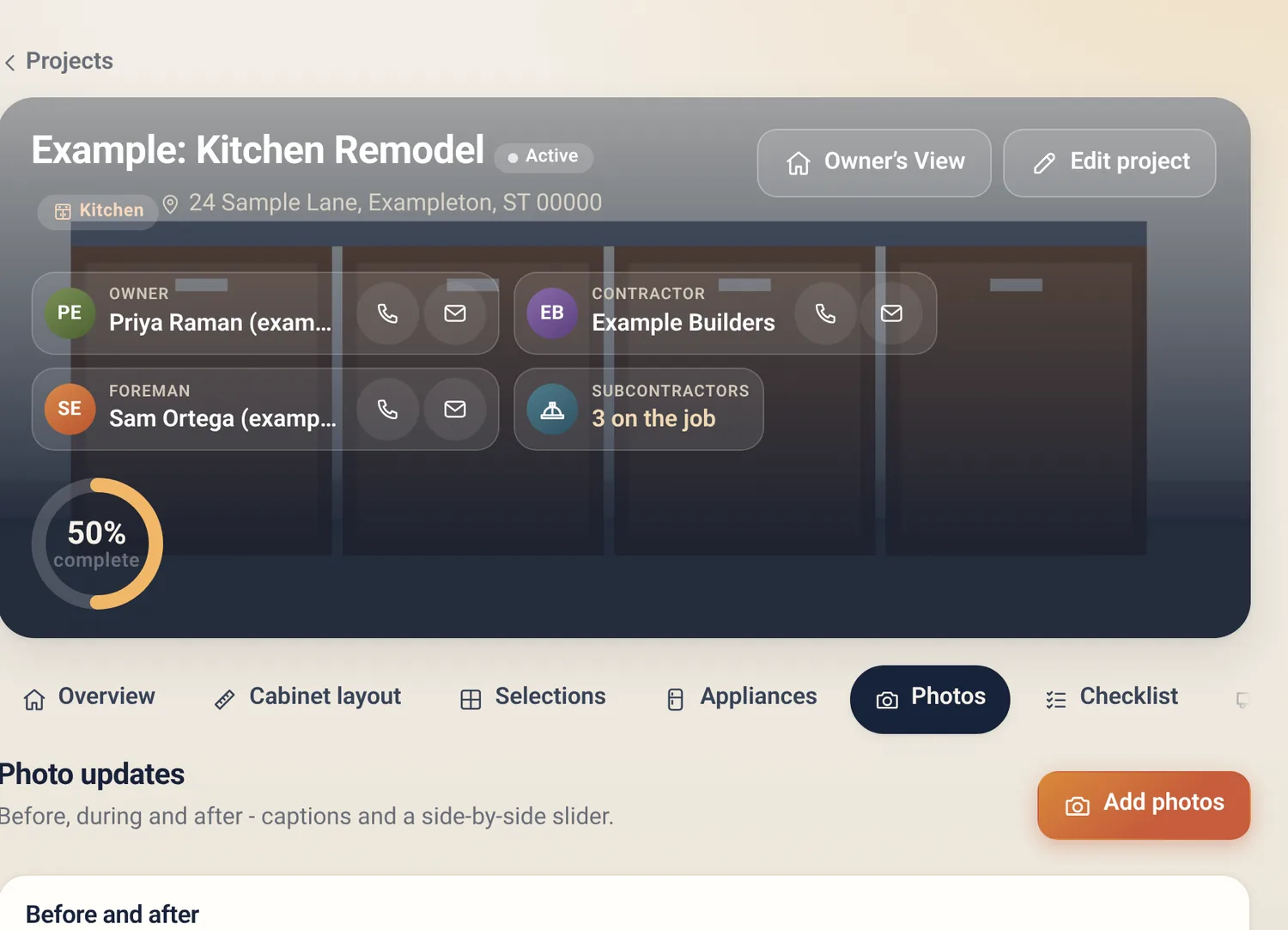
Snap photos from the jobsite, caption them, tag the room and trade. Before/after sliders make the story easy to show.
For remodelers & general contractors
Progress photos, schedule, change orders your clients can approve from a link, takeoff from plans, and the numbers — in one simple-priced app. Unlimited users and projects on Pro. No contracts.
Free plan, no card needed. Runs in your browser — add it to your home screen, nothing to download from an app store.
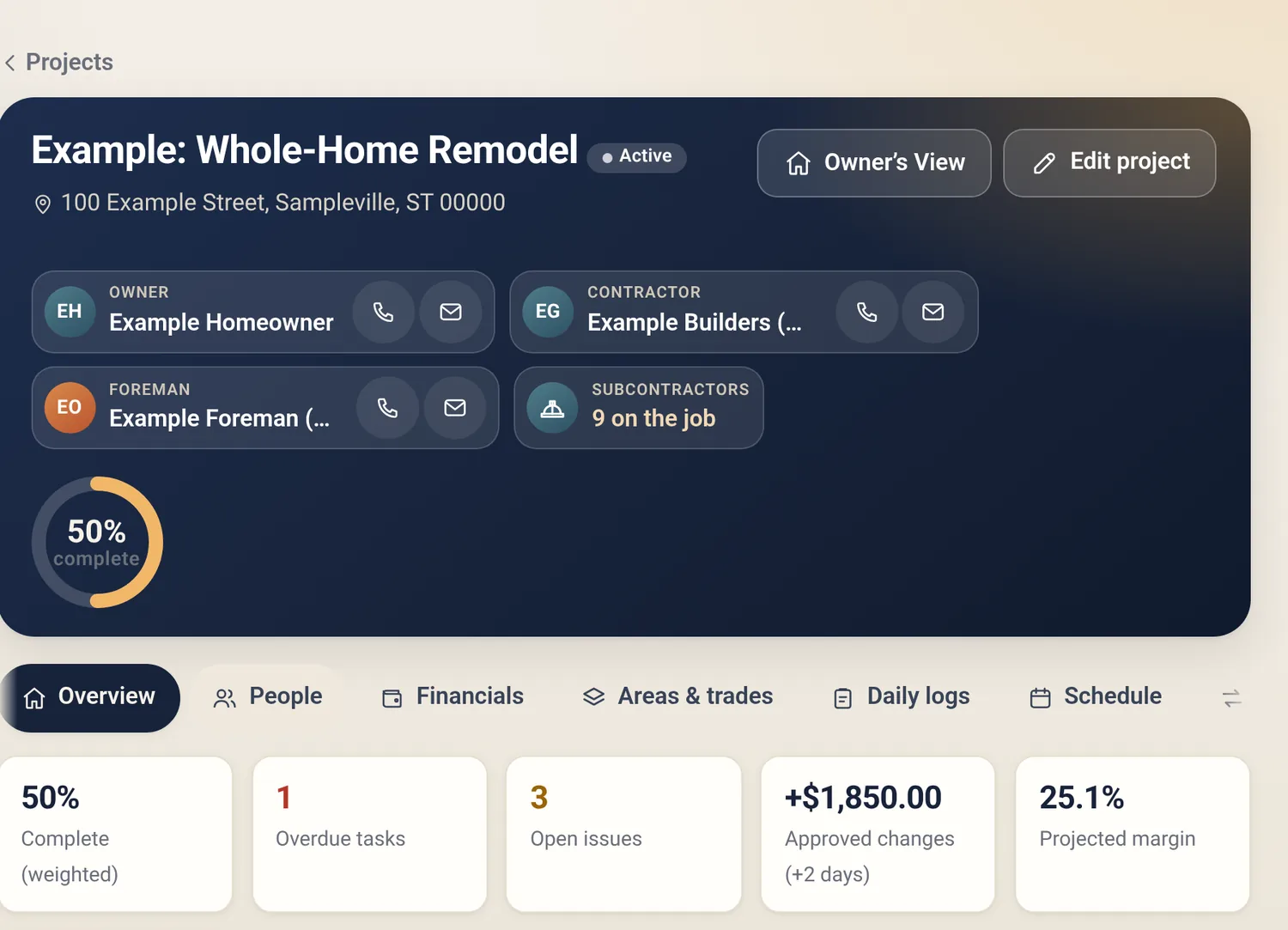
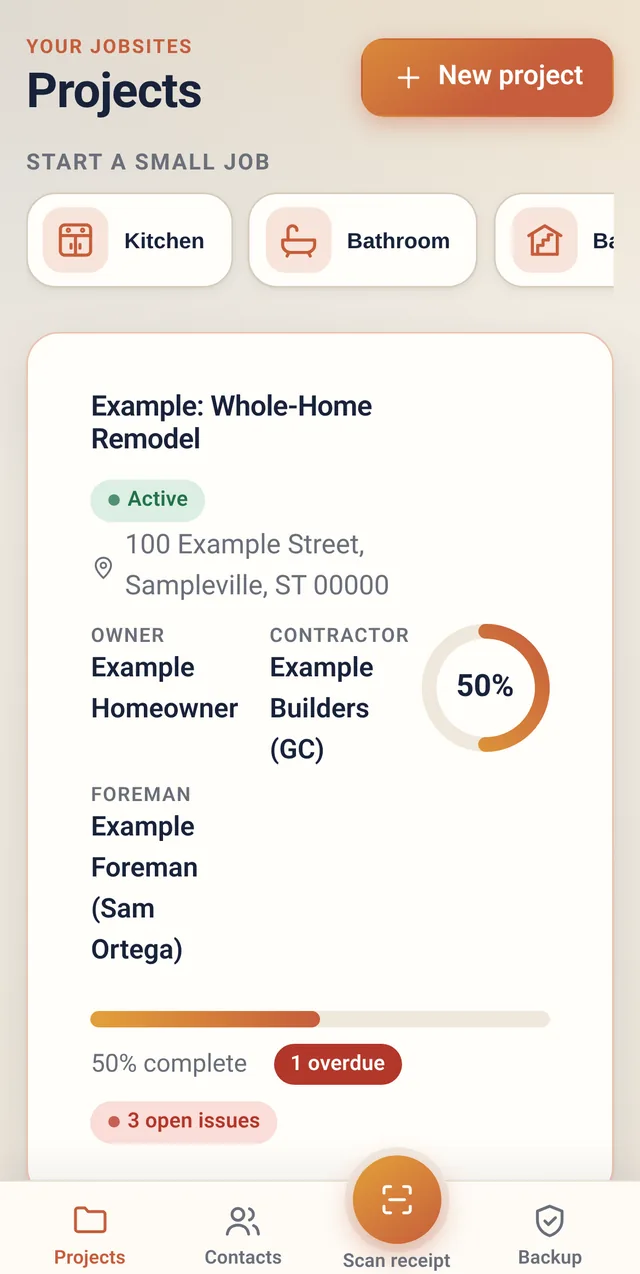
Everything on one job
From the first walkthrough to the final punch list, without a stack of apps or a per-seat bill.
Snap photos from the jobsite, caption them, tag the room and trade. Before/after sliders make the story easy to show.
List and timeline views, overdue flags, and filters by area or trade, so you can see what's slipping before the client asks.
Send a link. Your client approves, declines or asks a question with a typed signature, and you get a record of it.
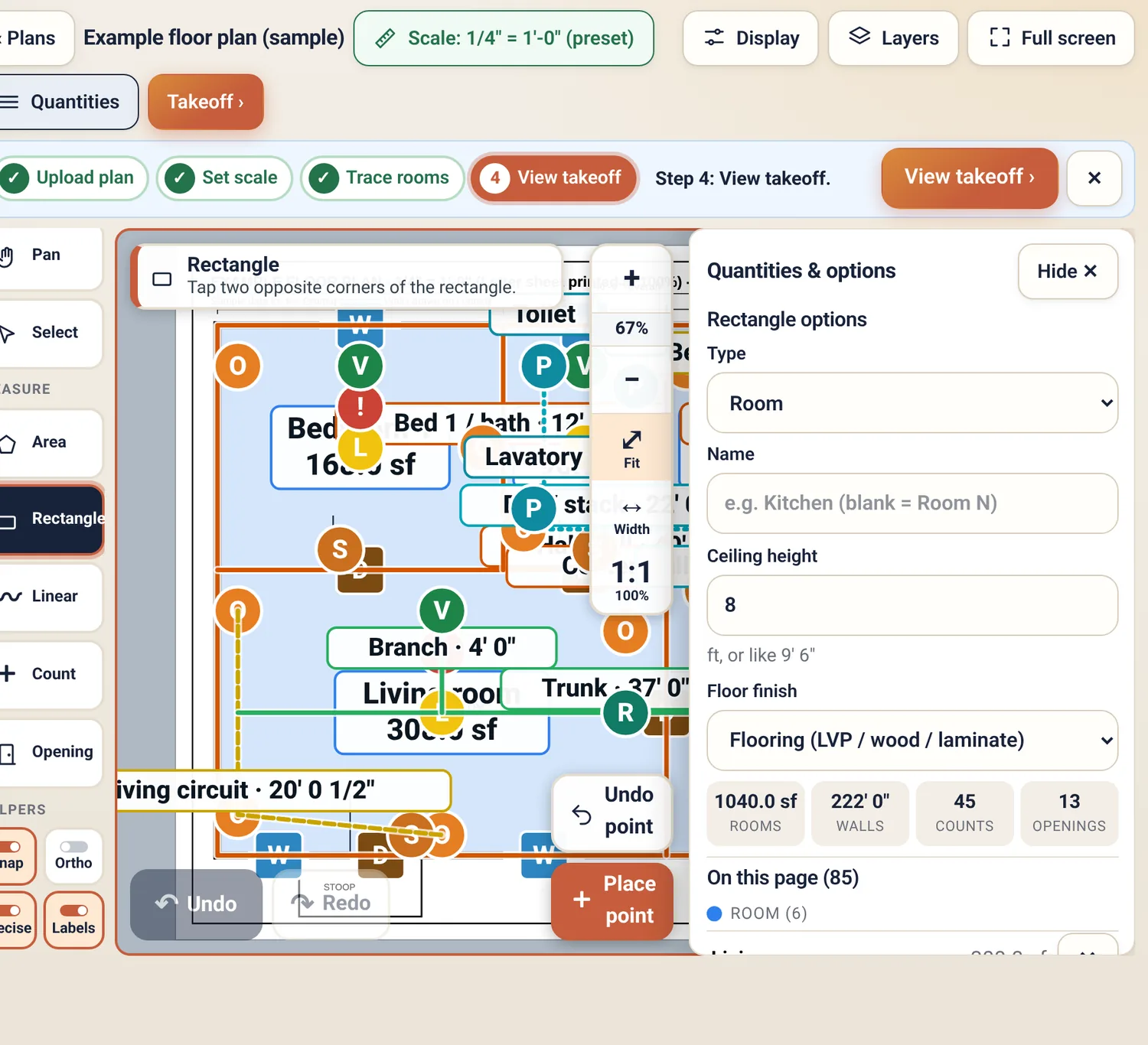
Upload a plan, set the scale, trace rooms and walls, count items. Get quantities by room and trade as a printable sheet or CSV.
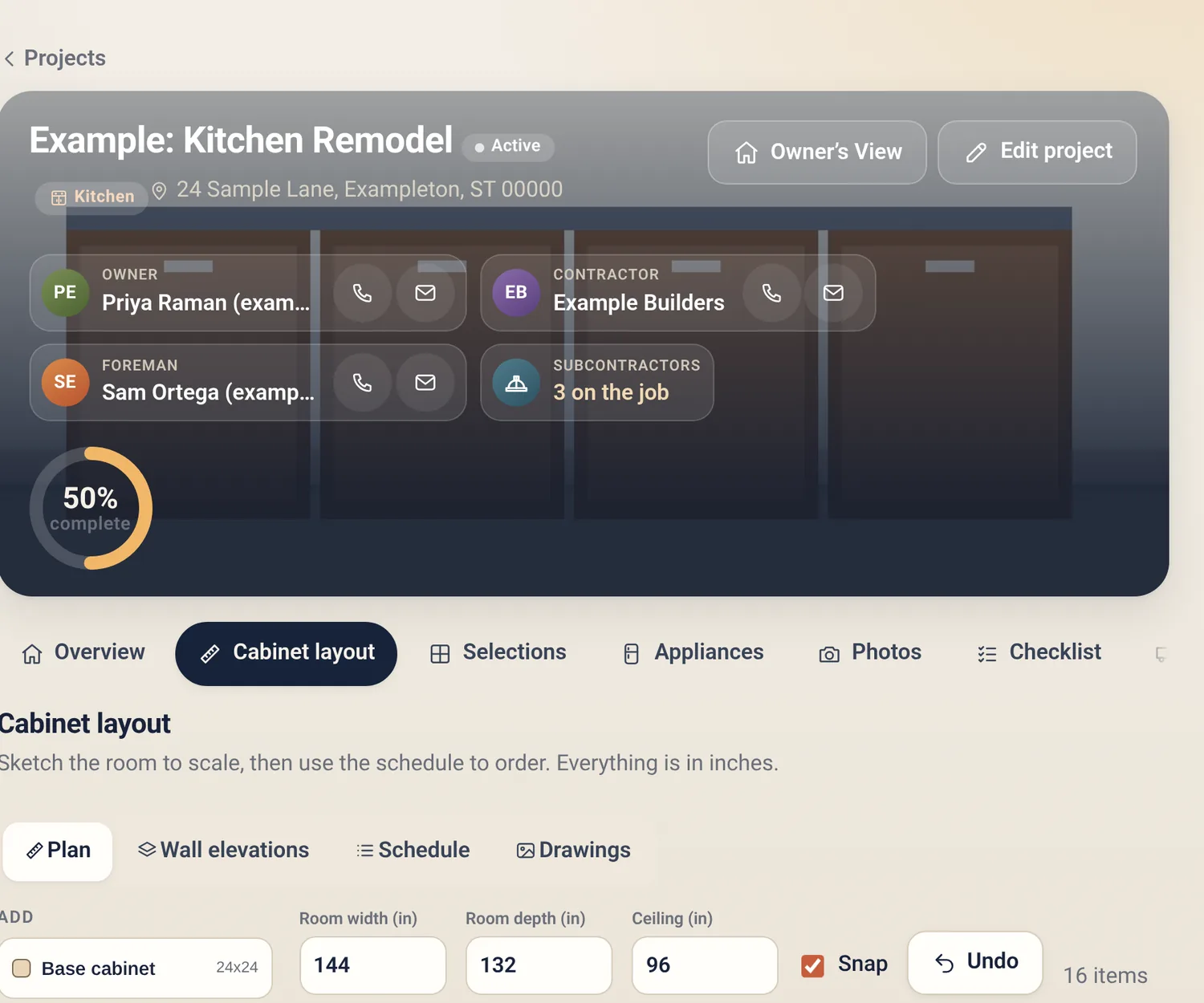
Start a whole-home project with areas and trades, or spin up a kitchen or bath with cabinet layout, selections and a phase checklist.
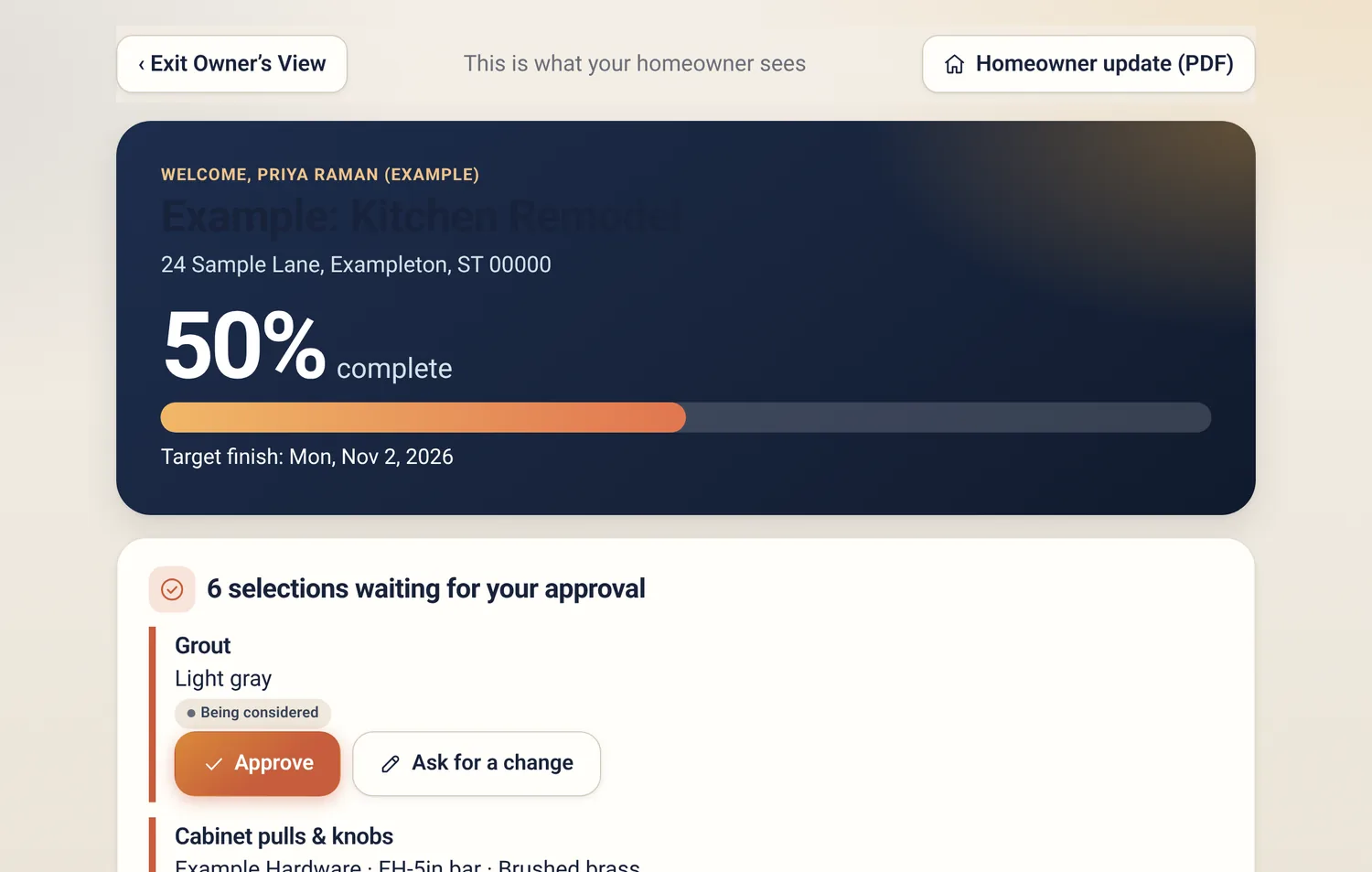
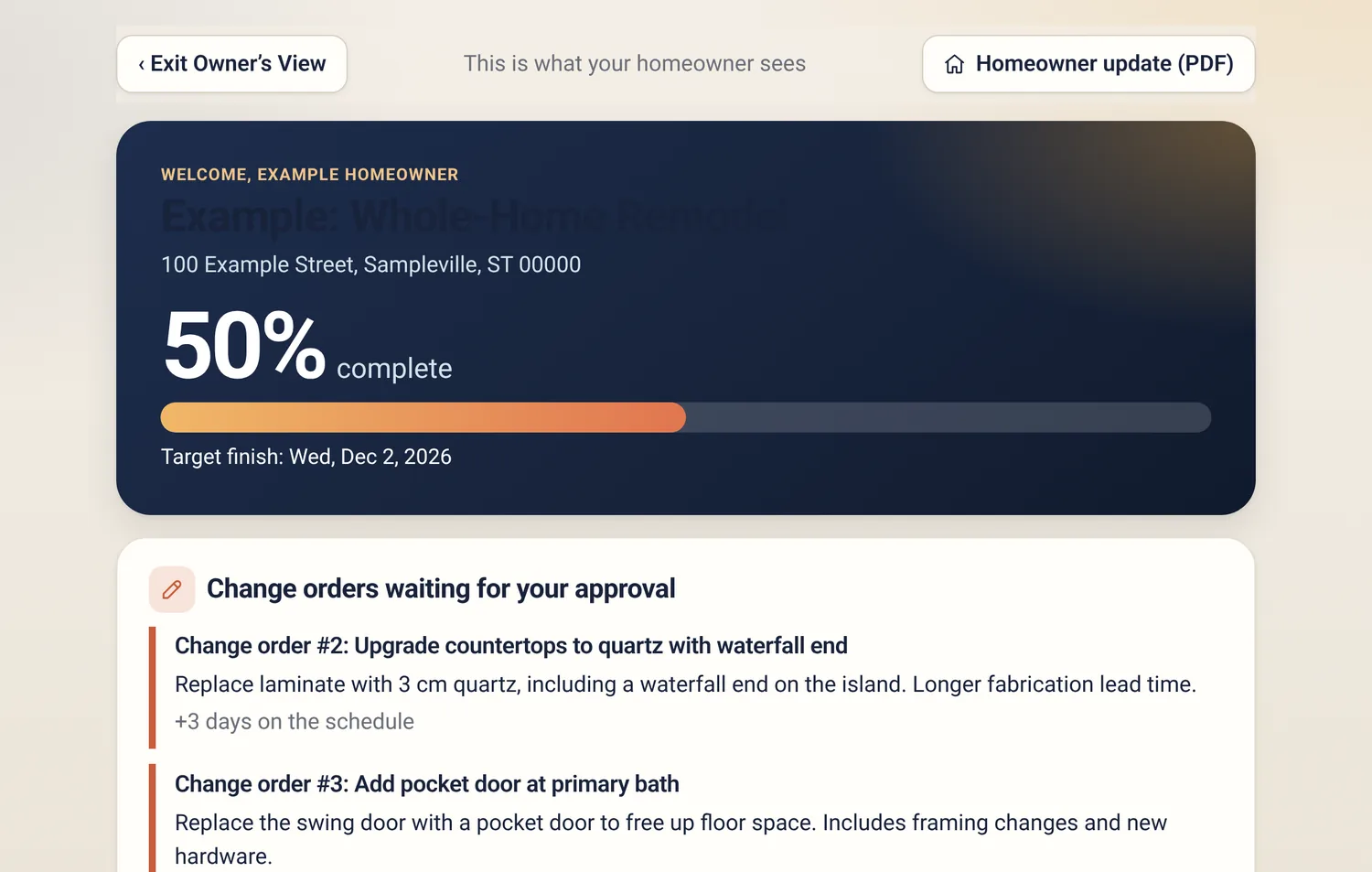
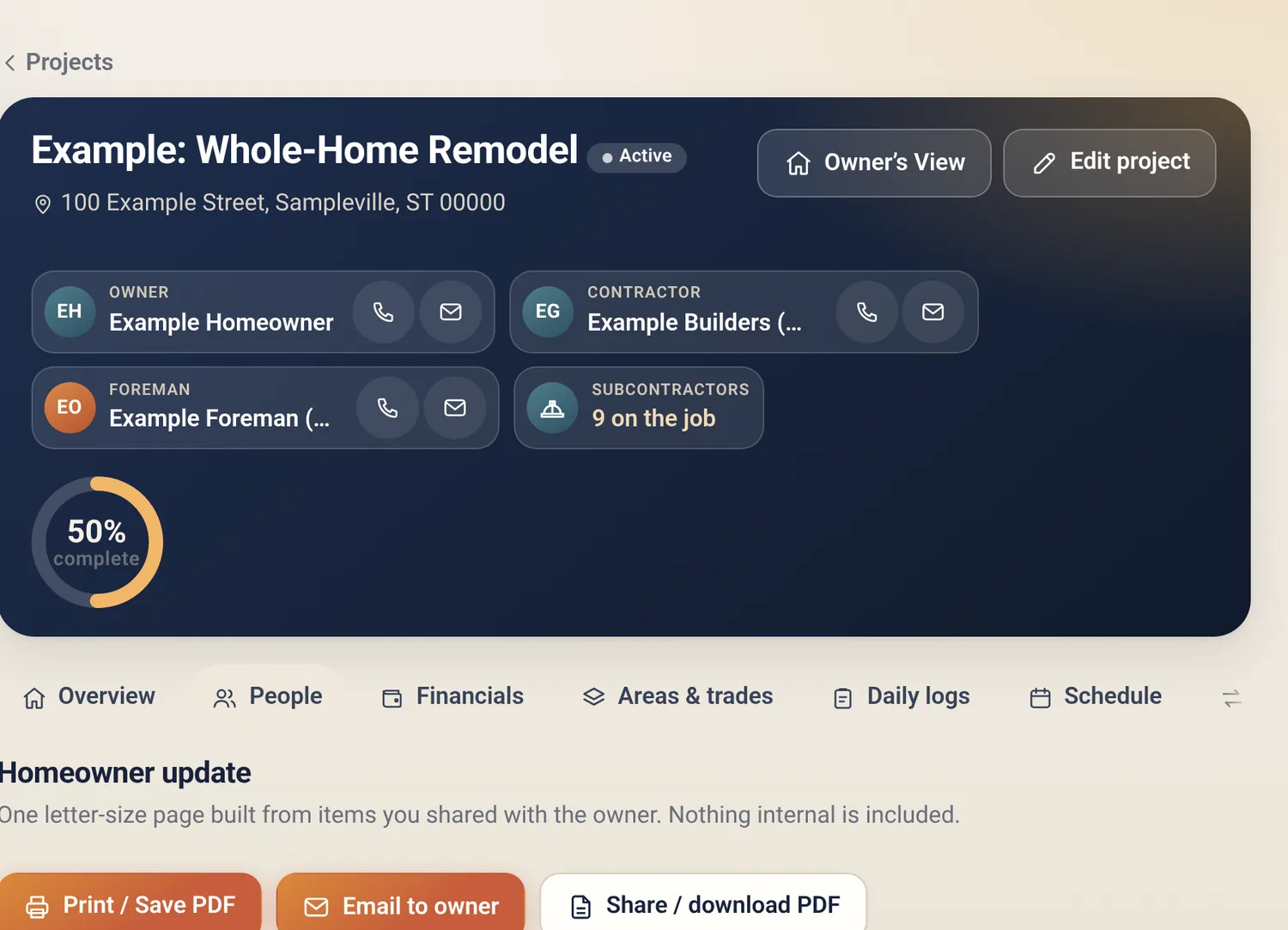
A clean, read-only page for your client, plus a one-page PDF update you can send on Friday afternoon.
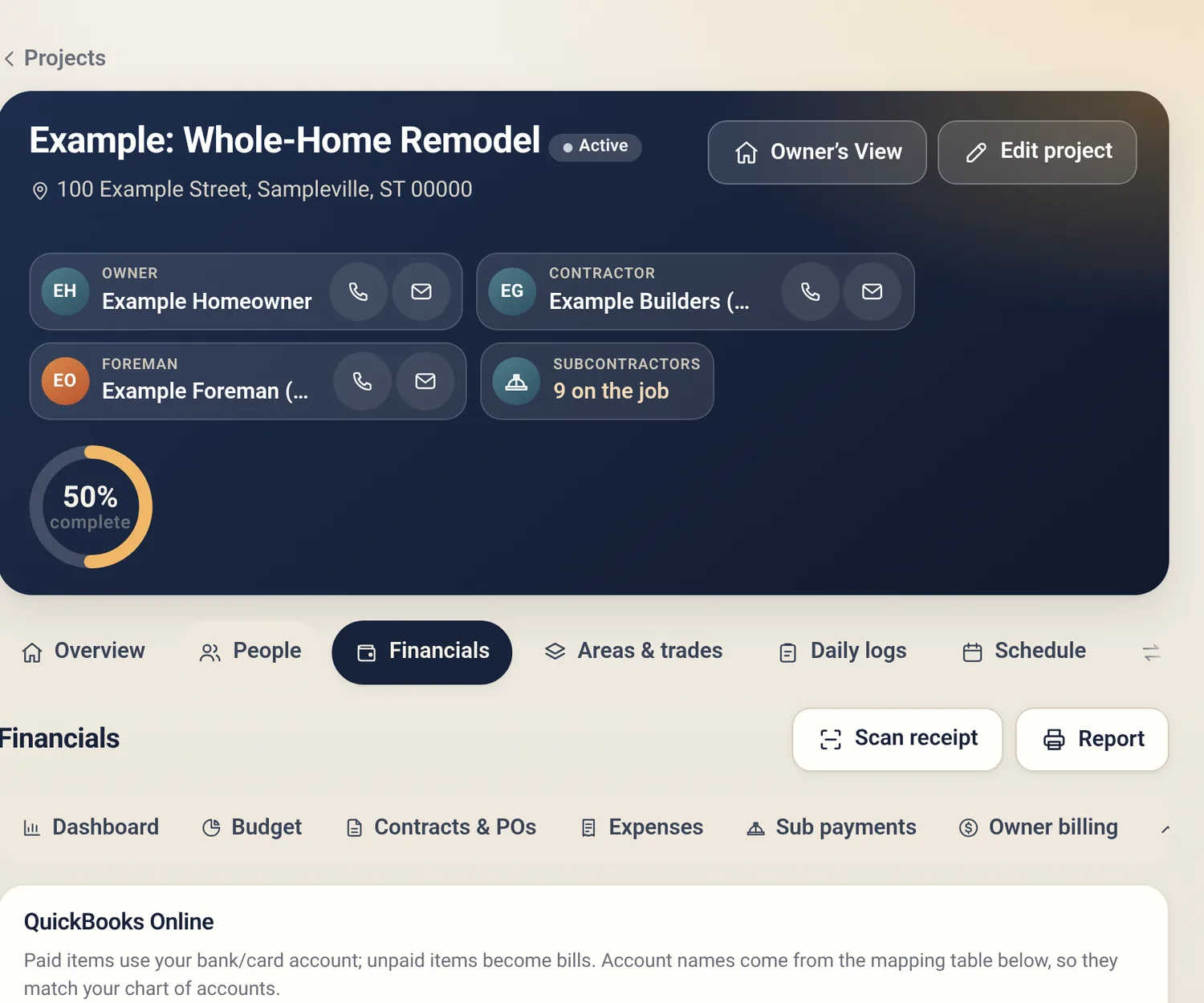
Budget vs. actual, contracts, expenses, sub payments and cash flow. Export to QuickBooks Online CSV, QuickBooks Desktop IIF, or Excel.
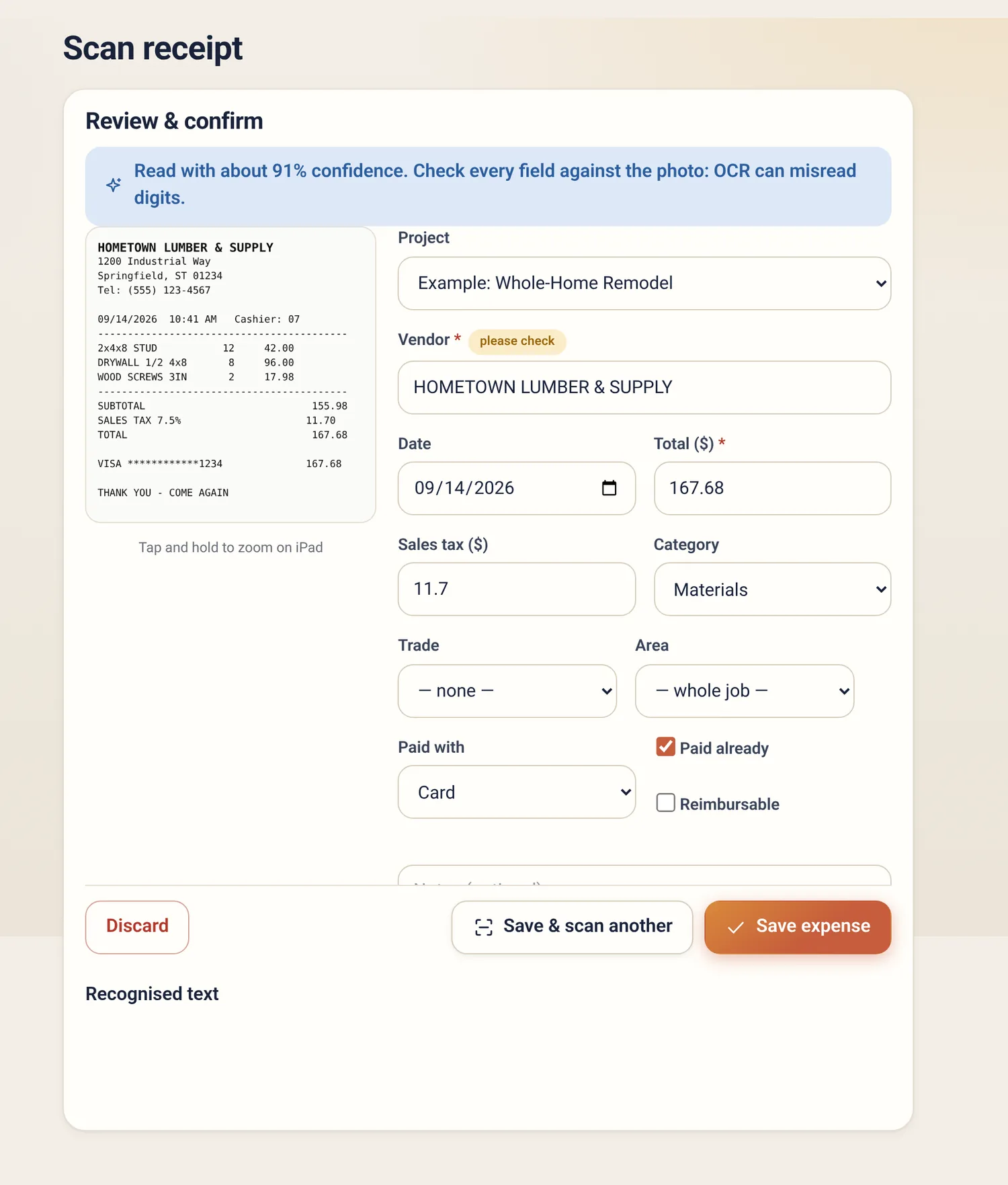
Snap a receipt and the vendor, date and total are read for you. Check the fields, assign a project and trade, save.
Your data lives on your device first, so the basement, the new build with no service, and the dead zone out on the lake road all work.
Photos & logs
Photos and daily logs feed your weekly report, the Owner's View and the homeowner update, so you aren't retyping the same story three times.
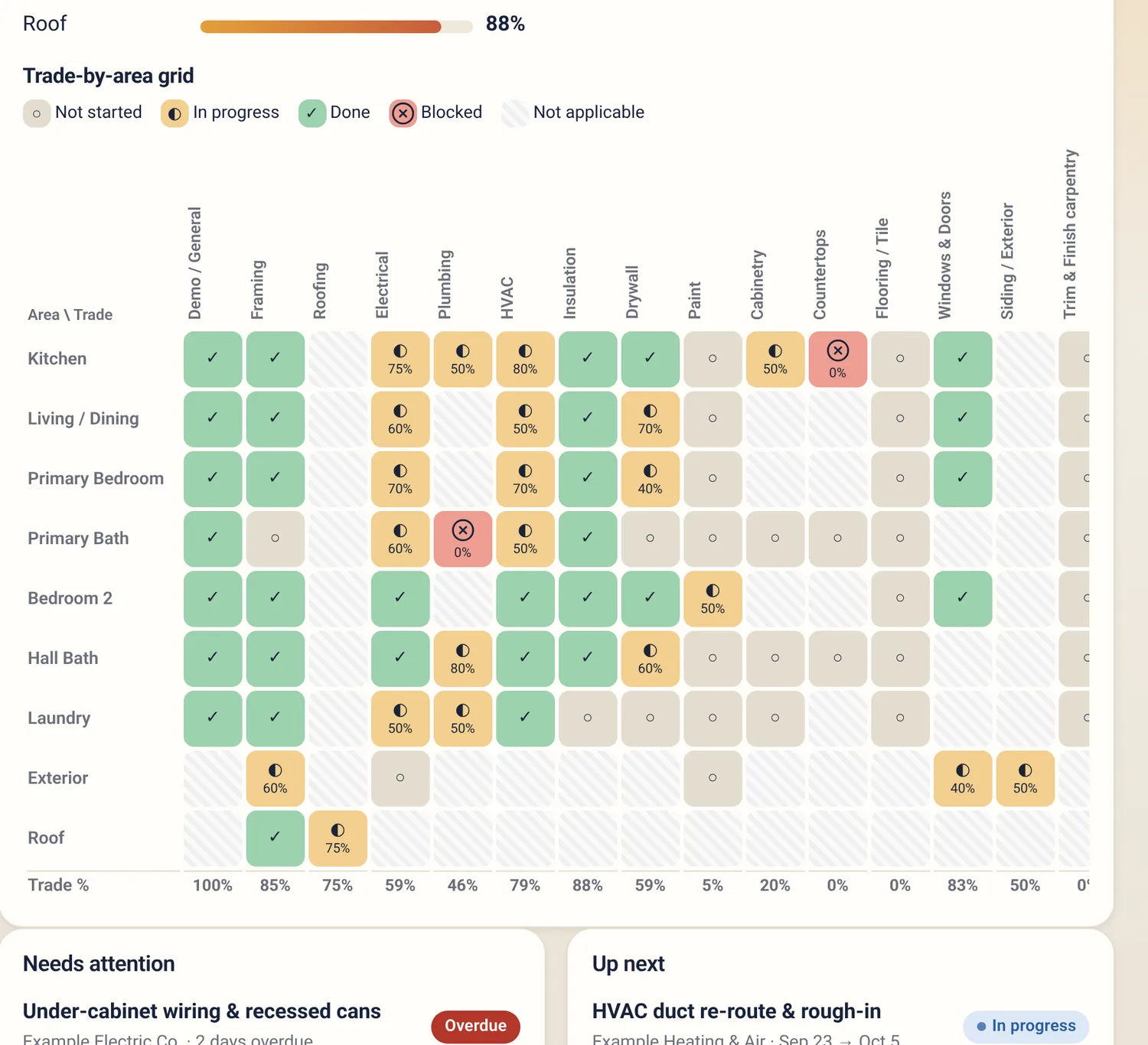
Schedule & progress
The areas-by-trades grid shows what's done, in progress or blocked across the whole house. Overall percent complete rolls up from the work, not from a guess.
Change orders
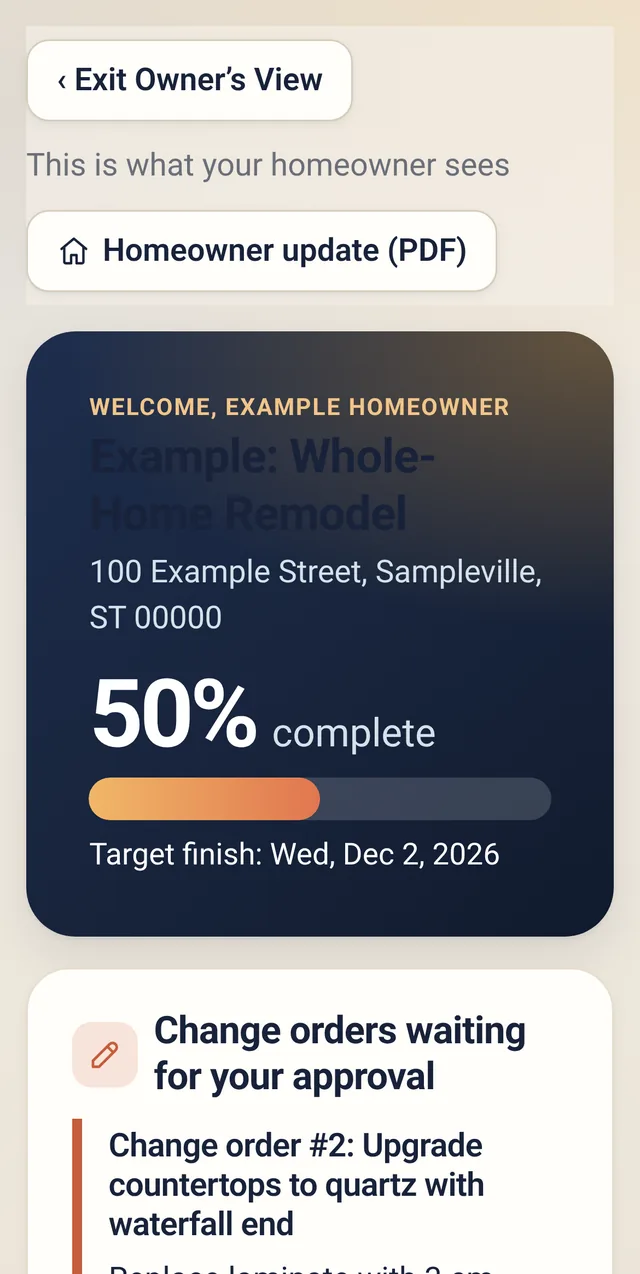
Send your client a link. They see the scope, cost and schedule impact, then approve, decline or ask a question with a typed signature. The answer syncs back to the change order with an audit trail.
Owner's view & update
The Owner's View is a large-type, read-only page with progress, upcoming milestones, decisions needed and recent photos. Subs' contacts, internal notes and costs stay hidden unless you turn them on.
Estimating & takeoff · Pro
Upload a PDF or image, set the scale, and trace rooms, walls and openings with touch-friendly tools. Quantities roll up by room and trade into a materials list. No second subscription.
Takeoffs are estimates, not bids. Tracing is manual and results depend on the scale you set. Always verify before you order or price.
Templates
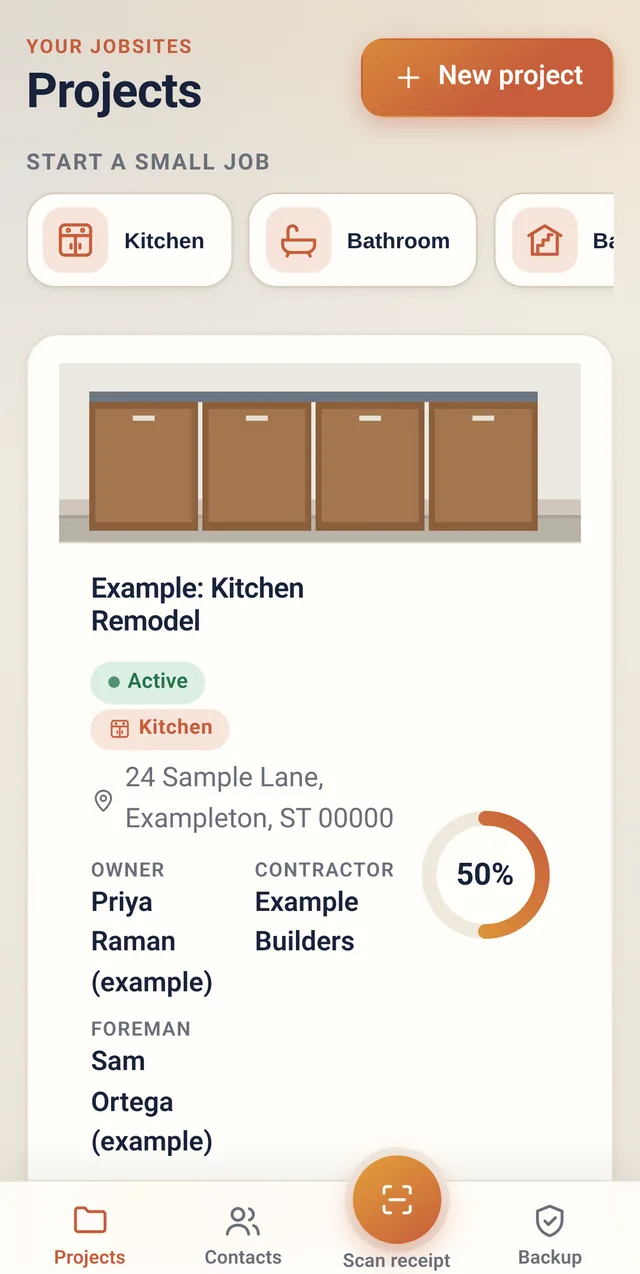
Pick a full-home template with areas and trades, or a small-job template for a kitchen, bath, basement, deck, flooring or roof job. Small jobs add a cabinet layout, selections board, appliance package, deliveries and a phase checklist.
Financials · Pro
Budget, contracts and POs, expenses, sub payments, owner billing and cash flow in one place. When it's time to hand off to your bookkeeper, export it.
Exports are files you import into QuickBooks. This isn't a live QuickBooks sync.
Offline-first
The app and your data live on your device. Changes you make with no signal are queued and sent when you're back online, if you've turned on cloud sync.
Add it to your home screen once. It opens and works like an app, with no app store.
Sign in on your phone and tablet to share the same jobs. A status pill always shows whether you're synced, syncing or offline.
Export everything at any time, photos included, on any plan. If you leave, you take it with you.
How we're different
Here's how we handle the things that tend to cost remodelers the most, compared with how contractor software commonly works.
| What you care about | Amberchalk | Typical contractor software |
|---|---|---|
| Per-user fees | No per-seat surprises. Crew includes 3 users, extra users are a flat $10/mo each, and Pro is unlimited. | Many charge per user or tier plans by headcount. Varies. |
| Contracts | No contracts. Month-to-month, cancel any time. Annual billing is optional. | Some require annual terms or set-up fees. Varies. |
| Works offline | Offline-first. Your data is on the device; changes sync when you're back online. | Often needs a connection for most features. Offline support varies. |
| Full data export | Yes, on every plan. Full backup including photos on Free, Crew and Pro; QuickBooks files are part of Pro. | Export options range from full to report-only. Varies. |
| Built-in takeoff from plans | Included in Pro. Trace rooms and walls on your plans, or type rooms in with Quick rooms. | Often a separate product or higher tier. Varies. |
| Client approval links | Change orders by link; no account needed for the client. | Common, sometimes on higher tiers. Varies. |
| Accounting export | QuickBooks Online CSV and Desktop IIF files on Pro, plus Excel. Not a live sync. | Some offer live QuickBooks sync, often on higher tiers. |
Where we're not the right fit: if you need deep accounting, payroll, or a live two-way QuickBooks integration, or a large-company enterprise feature set, a bigger suite may suit you better. This is built for small crews and remodelers who want the field and client tools without the overhead.
Pricing
Free is for one person on one job. Crew covers a small crew, and you can add extra projects or users for $10 a month each. Pro removes the limits and adds the money tools.
Try it on one real job.
or $390/year (two months free)
or $790/year (two months free)
Need a little more room without jumping to Pro? Add exactly what you need to Crew and change it any time — changes are prorated.
One more active project at a time. $100/year each if you pay yearly.
One more person on your team. $100/year each if you pay yearly.
Example: Crew with 2 extra projects and 1 extra user is $39 + $20 + $10 = $69/month (5 projects, 4 users). At around that size Pro — $79 with unlimited users and projects — is usually the better deal. Add-ons are for Crew only; Pro already has no limits.
FAQ
No app store. It's a web app you can add to your home screen (iPhone, iPad, Android) or use in any modern desktop browser. Open it once online so it can save itself for offline use.
Yes. Your projects, photos, schedule and financials are stored on your device and you can keep working. If you've turned on cloud sync, your changes are queued and sent when you're back online. Approval links and emails need a connection, of course.
Free is 1 user and 1 active project. Crew is 3 users and 3 active projects. Pro is unlimited users and unlimited active projects. Projects you mark complete or put on hold don't count as active.
On Crew you can add Extra projects (+$10/month each) and Extra users (+$10/month each), in any quantity. Paying yearly it's $100/year each. You can raise or lower the numbers any time in the app under Plan & billing, and changes are prorated. Pro already has no limits, so add-ons are Crew only.
Crew plus add-ons reaches Pro's $79/month at four add-ons (for example 2 extra projects and 2 extra users). Past that, Pro costs the same or less and also includes Financials with QuickBooks export, receipt scanning, estimating and takeoff, and branded reports. Those money and estimating tools are Pro-only; add-ons only raise the project and user limits.
No. They open the link, review the scope, cost and schedule impact, and approve, decline or ask a question with a typed signature. You'll see the response on the change order.
Takeoffs are estimates, not bids. You trace the plan by hand, so results depend on the scale you set and where you tap. Check the scale label, zoom in for precision, and verify quantities before you order materials or price a job.
It exports files you import into QuickBooks: QuickBooks Online CSV (bank transactions, expenses, bills) and QuickBooks Desktop IIF, plus Excel. It isn't a live two-way sync.
It reads printed receipts well when they're flat and well lit, and fills in the vendor, date and total. OCR can misread digits, so the app shows what it read and asks you to check each field before saving. The scan runs on your device.
Yes, on every plan including Free. Export a full backup (photos included) at any time, plus Excel and CSV exports for the numbers. (QuickBooks-format files are part of Pro.) You can also delete your account and data. See the privacy page.
You keep your account on the Free plan and your data stays accessible. Paid limits, add-ons, no watermark and Pro features stop at the end of your billing period. Nothing existing is locked or deleted; you just can't start more than Free allows.
Sign up here in about a minute (just an email code, no password), add it to your Home Screen, and start on the Free plan. Upgrade only if it earns its keep.
Start free